Home: Dashboard & Agent
Home has two tabs: the Dashboard, an overview built from your trait data, and the Agent, an assistant that does the work for you. You can turn either off in Settings → Application → Home.
Dashboard
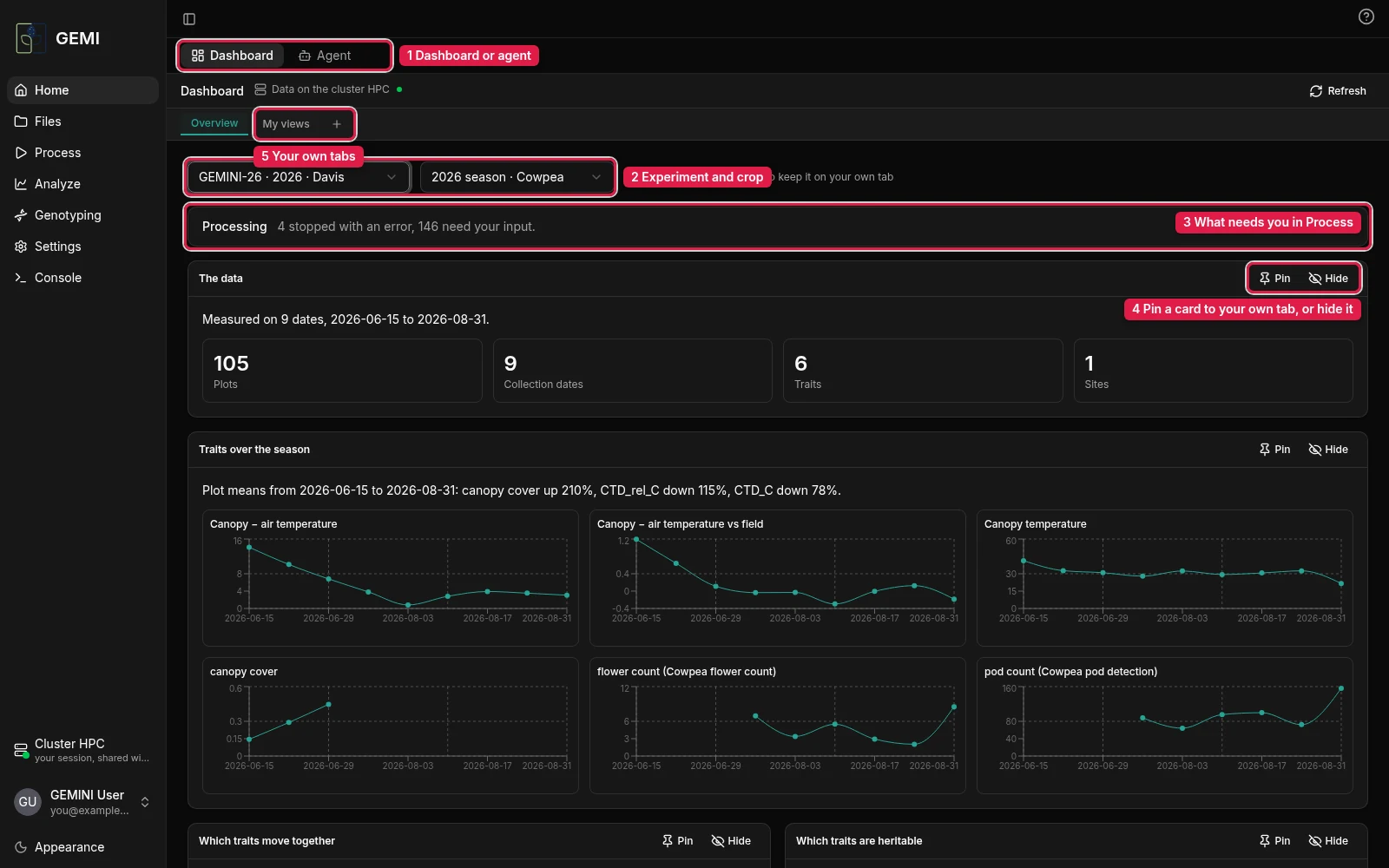
- Dashboard or agent.
- Experiment and crop: the dashboard covers one experiment, site and season, and one crop.
- What needs you in Process: runs that stopped with an error or need your input. Open Process goes there.
- Pin a card to keep it on your own tab, or Hide it.
- Your own tabs (My views). + adds one.
The overview's cards:
- The data: plots, dates, traits and sites.
- Traits over the season: each trait's plot mean on each date, with a one-line summary of what changed.
- Which traits move together: correlations between traits.
- Which traits are heritable: broad-sense heritability (H²) of each trait, from a mixed model.
- BLUPs: each accession's estimated genetic value per trait, to rank lines.
Agent
The agent does in the app what you ask in plain words. It can:
- upload data;
- run pipeline steps and mark plots;
- check jobs and tell you why one failed;
- answer questions about the traits;
- run a GWAS.
It follows skills: written procedures for each kind of task. Its runs, and anything it changed, carry a small robot mark in Process.
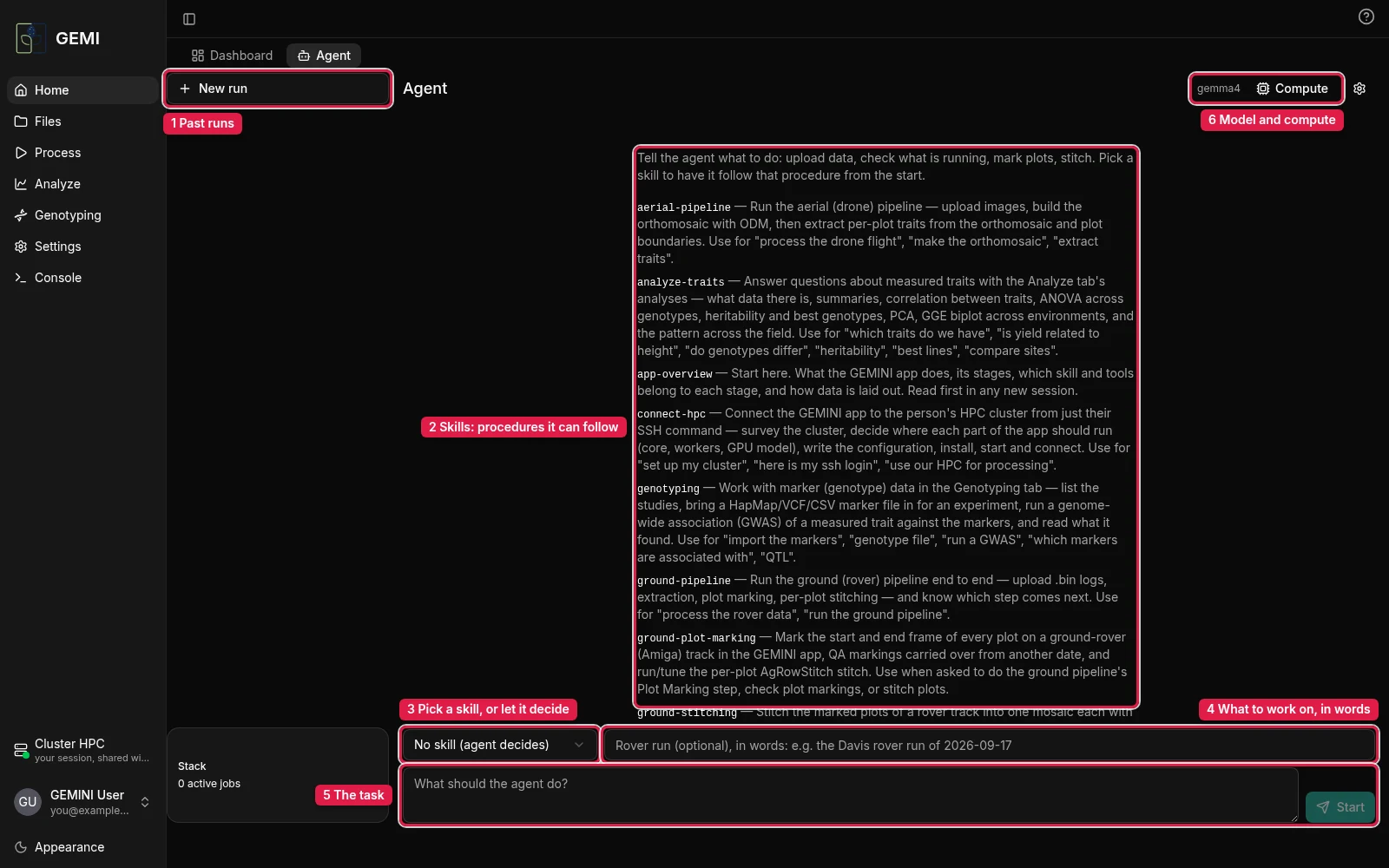
- Past runs of the agent; New run starts another.
- Skills: the procedures it can follow, each with the kind of request it is for.
- Pick a skill, or let the agent decide.
- What to work on, in words: for example the Davis rover run of 2026-09-17. The agent finds the run.
- The task: what the agent should do.
- The model the agent thinks with, and the compute it uses.
Some example requests:
- "Process the drone flight of 2026-08-17 at Davis up to the plot images."
- "Which jobs failed this week, and why?"
- "Is panicle count related to canopy height in the sorghum?"
- "Run a GWAS of flowering time at Riverside 2015."
The agent works through the same app, so everything it does shows in Process, Analyze and the jobs panel like your own work.